How to General QR Code from NAV 2016
1. Using of Microsoft.Dynamics.Nav.MX.dll, you can find the DLL fine the below path from your installation folder or from the DVD folder.
...ServiceTier\program files\Microsoft Dynamics NAV\90\Service\Add-ins\ElectronicInvoice
Create a Codeunit object or use any object to create below functions.
CreateQRCodeInput
GetQRCode
GetBarCodeProvider
MoveToMagicPath
GenerateQRCode
LOCAL CreateQRCodeInput(Name : Text;VATNo : Text;InvDateTime : Text;TotalAmt : Text;VATAmt : Text) QRCodeInput : Text[1024]
Var Name DataType Subtype Length
No Name Text
No VATNo Text
No InvDateTime Text
No TotalAmt Text
No VATAmt Text
QRCodeInput :='Seller Name:' + Name + ';' +'VAT No.:' + VATNo + ';' +'TimeStamp:' + InvDateTime + ';' +'Total Amt:' + TotalAmt + ';' + VATAmt;
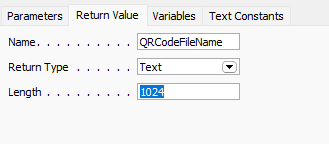
LOCAL GetQRCode(QRCodeInput : Text) QRCodeFileName : Text[1024]
Parameters:
Var Name DataType Subtype Length
NoQRCodeInputText
Local Variables:
Name DataType Subtype Length
Set RunOnClient = Yes on DotNetVariables
IBarCodeProviderDotNetMicrosoft.Dynamics.Nav.MX.BarcodeProviders.IBarcodeProvider.'Microsoft.Dynamics.Nav.MX, Version=11.0.0.0, Culture=neutral, PublicKeyToken=31bf3856ad364e35'
 GetBarCodeProvider(IBarCodeProvider);
QRCodeFileName := IBarCodeProvider.GetBarcode(QRCodeInput);
LOCAL GetBarCodeProvider(VAR IBarCodeProvider : DotNet "Microsoft.Dynamics.Nav.MX.BarcodeProviders.IBarcodeProvider")
Parameters:
Var Name DataType Subtype Length
Set RunOnClient = Yes on DotNetVariables
YesIBarCodeProviderDotNetMicrosoft.Dynamics.Nav.MX.BarcodeProviders.IBarcodeProvider.'Microsoft.Dynamics.Nav.MX, Version=11.0.0.0, Culture=neutral, PublicKeyToken=31bf3856ad364e35'
Local Variables:
Name DataType Subtype Length
QRCodeProviderDotNetMicrosoft.Dynamics.Nav.MX.BarcodeProviders.QRCodeProvider.'Microsoft.Dynamics.Nav.MX, Version=11.0.0.0, Culture=neutral, PublicKeyToken=31bf3856ad364e35'
QRCodeProvider := QRCodeProvider.QRCodeProvider;
IBarCodeProvider := QRCodeProvider;
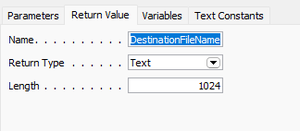
LOCAL MoveToMagicPath(SourceFileName : Text) DestinationFileName : Text[1024]
Parameters:
Var Name DataType Subtype Length
NoSourceFileNameText
GetBarCodeProvider(IBarCodeProvider);
QRCodeFileName := IBarCodeProvider.GetBarcode(QRCodeInput);
LOCAL GetBarCodeProvider(VAR IBarCodeProvider : DotNet "Microsoft.Dynamics.Nav.MX.BarcodeProviders.IBarcodeProvider")
Parameters:
Var Name DataType Subtype Length
Set RunOnClient = Yes on DotNetVariables
YesIBarCodeProviderDotNetMicrosoft.Dynamics.Nav.MX.BarcodeProviders.IBarcodeProvider.'Microsoft.Dynamics.Nav.MX, Version=11.0.0.0, Culture=neutral, PublicKeyToken=31bf3856ad364e35'
Local Variables:
Name DataType Subtype Length
QRCodeProviderDotNetMicrosoft.Dynamics.Nav.MX.BarcodeProviders.QRCodeProvider.'Microsoft.Dynamics.Nav.MX, Version=11.0.0.0, Culture=neutral, PublicKeyToken=31bf3856ad364e35'
QRCodeProvider := QRCodeProvider.QRCodeProvider;
IBarCodeProvider := QRCodeProvider;
LOCAL MoveToMagicPath(SourceFileName : Text) DestinationFileName : Text[1024]
Parameters:
Var Name DataType Subtype Length
NoSourceFileNameText
 Local Variables:
Name DataType Subtype Length
FileSystemObjectAutomation'Windows Script Host Object Model'.FileSystemObject
DestinationFileName := ThreeTierMgt.ClientTempFileName(',');
IF ISCLEAR(FileSystemObject) THEN
CREATE(FileSystemObject,TRUE,TRUE);
FileSystemObject.MoveFile(SourceFileName,DestinationFileName);
GenerateQRCode(InvDateTime : Text;TotalAmt : Text;VATAmt : Text;VAR TempBlob : Record TempBlob)
Parameters:
Var Name DataType Subtype Length
NoInvDateTimeText
NoTotalAmtText
NoVATAmtText
YesTempBlobRecordTempBlob
Local Variables:
Name DataType Subtype Length
CompanyInfoRecordCompany Information
SalesInvoiceHeaderRecordSales Invoice Header
QRCodeInputText
QRCodeFileNameText
// Save a QR code image into a file in a temporary folder
CompanyInfo.GET;
CompanyInfo.TESTFIELD("VAT Registration No.");
QRCodeInput := CreateQRCodeInput(CompanyInfo.Name,CompanyInfo."VAT Registration No.",InvDateTime,TotalAmt,VATAmt);
QRCodeFileName := GetQRCode(QRCodeInput);
QRCodeFileName := MoveToMagicPath(QRCodeFileName); // To avoid confirmation dialogue on RTC
// Load the image from file into the BLOB field
CLEAR(TempBlob);
ThreeTierMgt.BLOBImport(TempBlob,QRCodeFileName);
// Erase the temporary file
IF NOT ISSERVICETIER THEN
IF EXISTS(QRCodeFileName) THEN
ERASE(QRCodeFileName);
In My case I am using Table 112 (Sales Invoice Header) and one custom report to Generate and print the QR code in the report.
Expanded Data Type Data Source Name Include Caption
1 DataItem Sales Invoice Header <Sales Invoice Header> No
0 Column "Sales Invoice Header"."QR Code" QRCode_SalesInvoiceHeader No
0 Column "Sales Invoice Header"."Sell-to Customer No." SelltoCustomerNo_SalesInvoiceHeader No
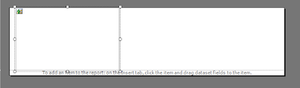
Insert a Image in the report designer and Calcfield on TempBlob report
Local Variables:
Name DataType Subtype Length
FileSystemObjectAutomation'Windows Script Host Object Model'.FileSystemObject
DestinationFileName := ThreeTierMgt.ClientTempFileName(',');
IF ISCLEAR(FileSystemObject) THEN
CREATE(FileSystemObject,TRUE,TRUE);
FileSystemObject.MoveFile(SourceFileName,DestinationFileName);
GenerateQRCode(InvDateTime : Text;TotalAmt : Text;VATAmt : Text;VAR TempBlob : Record TempBlob)
Parameters:
Var Name DataType Subtype Length
NoInvDateTimeText
NoTotalAmtText
NoVATAmtText
YesTempBlobRecordTempBlob
Local Variables:
Name DataType Subtype Length
CompanyInfoRecordCompany Information
SalesInvoiceHeaderRecordSales Invoice Header
QRCodeInputText
QRCodeFileNameText
// Save a QR code image into a file in a temporary folder
CompanyInfo.GET;
CompanyInfo.TESTFIELD("VAT Registration No.");
QRCodeInput := CreateQRCodeInput(CompanyInfo.Name,CompanyInfo."VAT Registration No.",InvDateTime,TotalAmt,VATAmt);
QRCodeFileName := GetQRCode(QRCodeInput);
QRCodeFileName := MoveToMagicPath(QRCodeFileName); // To avoid confirmation dialogue on RTC
// Load the image from file into the BLOB field
CLEAR(TempBlob);
ThreeTierMgt.BLOBImport(TempBlob,QRCodeFileName);
// Erase the temporary file
IF NOT ISSERVICETIER THEN
IF EXISTS(QRCodeFileName) THEN
ERASE(QRCodeFileName);
In My case I am using Table 112 (Sales Invoice Header) and one custom report to Generate and print the QR code in the report.
Expanded Data Type Data Source Name Include Caption
1 DataItem Sales Invoice Header <Sales Invoice Header> No
0 Column "Sales Invoice Header"."QR Code" QRCode_SalesInvoiceHeader No
0 Column "Sales Invoice Header"."Sell-to Customer No." SelltoCustomerNo_SalesInvoiceHeader No
Insert a Image in the report designer and Calcfield on TempBlob report
 I have added a button on Posted Sales Invoice Page 132
Local Variables:
Name DataType Subtype Length
QRCodeMgmtCodeunitQR Code Mgmt.
TempBlobRecordTempBlob
<Action1170000000> - OnAction()
CALCFIELDS("Amount Including VAT",Amount);
QRCodeMgmt.GenerateQRCode(FORMAT(CURRENTDATETIME),FORMAT("Amount Including VAT"),FORMAT("Amount Including VAT" - Amount),TempBlob);
"QR Code" := TempBlob.Blob;
MODIFY;
COMMIT;
REPORT.RUNMODAL(REPORT::"Print QR Code",TRUE,FALSE,Rec);
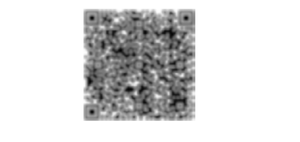
OutPut
I have added a button on Posted Sales Invoice Page 132
Local Variables:
Name DataType Subtype Length
QRCodeMgmtCodeunitQR Code Mgmt.
TempBlobRecordTempBlob
<Action1170000000> - OnAction()
CALCFIELDS("Amount Including VAT",Amount);
QRCodeMgmt.GenerateQRCode(FORMAT(CURRENTDATETIME),FORMAT("Amount Including VAT"),FORMAT("Amount Including VAT" - Amount),TempBlob);
"QR Code" := TempBlob.Blob;
MODIFY;
COMMIT;
REPORT.RUNMODAL(REPORT::"Print QR Code",TRUE,FALSE,Rec);
OutPut
I have added a button on Posted Sales Invoice Page 132
Local Variables:
Name DataType Subtype Length
QRCodeMgmtCodeunitQR Code Mgmt.
TempBlobRecordTempBlob
<Action1170000000> - OnAction()
CALCFIELDS("Amount Including VAT",Amount);
QRCodeMgmt.GenerateQRCode(FORMAT(CURRENTDATETIME),FORMAT("Amount Including VAT"),FORMAT("Amount Including VAT" - Amount),TempBlob);
"QR Code" := TempBlob.Blob;
MODIFY;
COMMIT;
REPORT.RUNMODAL(REPORT::"Print QR Code",TRUE,FALSE,Rec);
OutPut